Have you ever been in the middle of a dishwashing cycle, come back after a bit and are thinking: why is my dishwasher beeping?
This can be an annoying and confusing experience, especially if you don’t know what’s causing it. Fortunately, there are several potential causes of dishwasher beeping, and most of them are easy to fix.
If your dishwasher is beeping, there are several potential causes to consider. Some of the most common issues include a door that’s not properly closed, a power surge or outage, a clogged drain, or a malfunctioning sensor.
By identifying the cause of the beeping, you can take the necessary steps to fix the problem and get your dishwasher back to its normal operation.
Table of Contents
Understanding Dishwasher Beeping
The Role of Beeping in Dishwashers
Dishwashers are designed to make your life easier by cleaning your dishes quickly and efficiently. However, sometimes things can go wrong, and your dishwasher may start beeping.
Beeping is a way for your dishwasher to communicate with you and alert you to any problems that it may be experiencing.
Modern dishwashers come with electronic sensors that can detect when something is wrong with the appliance.
When a problem is detected, the dishwasher will beep to let you know that something needs your attention. This is a useful feature that can help you identify and fix problems with your dishwasher quickly.
Common Beeping Patterns
There are several common beeping patterns that you may hear from your dishwasher. Here are some of the most common:
- The 30-second beep: This indicates that the dishwasher door was opened during a wash cycle, and that the door is unlatched or still open. This is easily remedied by simply closing the door and letting the dishwasher get back to its cycle.
- The power surge beep: A power outage can also cause your dishwasher to have a problem. If you hear a series of beeps after a power outage, it may be because the dishwasher needs to be reset.
- The too many dishes beep: The dishes in the dishwasher need to be rearranged as too many dishes or a dish blocking a spray arm can cause the beeping sound. Simply rearrange the dishes so nothing is blocking or hitting any moving parts in the dishwasher.
- The clogged filter beep: A clogged dishwasher filter can cause your dishwasher to beep. To fix this problem, you need to clean the filter.
If you hear any of these beeping patterns, it is important to take action quickly to avoid further problems with your dishwasher.
Potential Causes of Dishwasher Beeping
If your dishwasher is beeping, it can be frustrating and confusing. There are several potential causes of dishwasher beeping:
Technical Faults
One of the most common causes of dishwasher beeping is technical faults. Here are some technical issues that may cause your dishwasher to beep:
- Power surge: If your dishwasher experiences a power surge or outage, it may cause the appliance to beep. In this case, simply resetting the dishwasher may fix the issue.
- Blocked spray arm: If the spray arm in your dishwasher is blocked by a dish or other object, it may cause the appliance to beep. Check to make sure the spray arm is free of any obstructions.
- Faulty sensor: Dishwashers have sensors that detect issues with the appliance. If one of these sensors is faulty, it may cause the dishwasher to beep. In this case, you may need to call a technician to diagnose and fix the issue.
User Errors
In addition to technical faults, user errors can also cause your dishwasher to beep:
- Improper loading: If you overload your dishwasher or place dishes in the wrong position, it may cause the appliance to beep. Make sure you are loading your dishwasher correctly and not blocking any moving parts.
- Open door: If you open the dishwasher door during a wash cycle, it may cause the appliance to beep. Make sure the door is closed and latched before starting a wash cycle.
- Low detergent: If you don’t use enough detergent in your dishwasher, it may cause the appliance to beep. Make sure you are using the correct amount of detergent for your dishwasher and the type of load you are washing.
How to Identify the Cause of Beeping
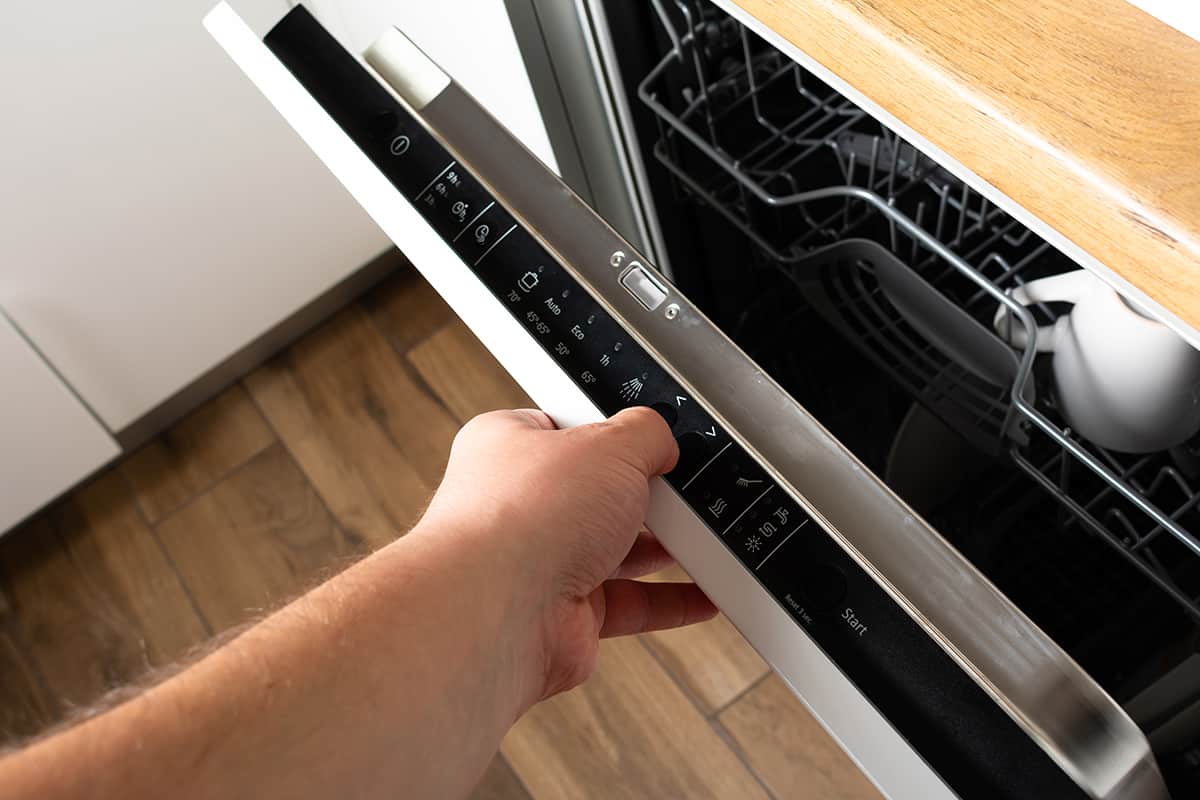
There are some diagnostic tools and professional assistance available to help you identify the cause of the beeping.
Diagnostic Tools
Before calling a professional, you can use some diagnostic tools to identify the cause of the beeping:
- Check the door latch: Make sure the dishwasher door is fully closed and latched. If the door is not properly closed, the dishwasher may beep.
- Check the control panel: Look for any error codes or flashing lights on the control panel. Refer to your dishwasher manual to see what each code means.
- Check for water leaks: A water leak can cause the dishwasher to beep. Check for any leaks around the dishwasher or under the sink.
- Check the dishwasher filter: A clogged dishwasher filter can cause the dishwasher to beep. Check the filter and clean it if necessary.
Professional Assistance
If you’re unable to identify the cause of the beeping, it may be time to call a professional.
Here are some reasons why you may need professional assistance:
- Electrical issues: If the beeping is caused by an electrical issue, such as a faulty control board, it’s best to leave it to a professional to fix.
- Mechanical issues: If the beeping is caused by a mechanical issue, such as a broken pump or motor, it’s best to have a professional fix it.
- Warranty: If your dishwasher is still under warranty, it’s best to have a professional fix it to avoid voiding the warranty.
Troubleshooting Beeping Dishwashers
If your dishwasher keeps beeping, it can be a frustrating experience. However, there are several things you can do to troubleshoot the problem.
Step-by-Step Guide
- Check the dishwasher door: Ensure that the dishwasher door is properly closed and latched. If the door is not closed correctly, the dishwasher may beep.
- Check the power supply: Make sure that the dishwasher is properly plugged in and that the circuit breaker is not tripped. You can try plugging another small appliance into the same socket to see if it works.
- Reset the dishwasher: Resetting the dishwasher is one of the easiest ways to fix the beeping problem. You can do this by unplugging the dishwasher from the power outlet for 5 minutes and then plugging it back in.
- Clean the filters: A blocked filter can prevent the dishwasher from draining properly and cause it to beep. Take out and clean the filters before doing any further work on your dishwasher.
- Check the dishwasher’s manual: If none of the above steps work, consult the dishwasher’s manual. It may have specific troubleshooting steps for your model.
Preventive Measures
Prevention is always better than cure. Here are some preventive measures you can take to avoid your dishwasher from beeping:
- Load the dishwasher correctly: Overloading the dishwasher or placing items incorrectly can cause it to beep. Make sure that you follow the manufacturer’s instructions when loading your dishwasher.
- Use the right detergent: Using the wrong detergent or too much detergent can cause your dishwasher to beep. Use the detergent recommended by the manufacturer and follow the instructions carefully.
- Clean the dishwasher regularly: Regular cleaning of your dishwasher can prevent it from beeping. Clean the interior, exterior, and filters of your dishwasher regularly to avoid any problems.
- Maintain the dishwasher: Regular maintenance of your dishwasher can prevent it from beeping. Check the dishwasher’s hoses, spray arms, and other parts regularly to ensure that they are in good working condition.
Frequently Asked Questions
How can I stop my dishwasher from beeping?
If your dishwasher keeps beeping, you can try resetting it by turning off the power for a few minutes, then turning it back on.
You can also try cleaning the dishwasher’s filter and checking for any obstructions in the spray arms or drain. If these steps don’t work, consult your dishwasher’s manual or call a professional repair service.
Why is my Indesit dishwasher beeping during a cycle?
If your Indesit dishwasher is beeping during a cycle, it may be due to a fault with the appliance.
This could be caused by a variety of issues, such as a blocked filter, a malfunctioning sensor, or a problem with the water supply.
What does it mean when my Whirlpool dishwasher beeps every minute?
If your Whirlpool dishwasher beeps every minute, it may be due to a fault with the appliance. This could be caused by a variety of issues, such as a malfunctioning sensor, a blocked filter, or a problem with the water supply.
Why does my Candy dishwasher beep?
If your Candy dishwasher is beeping, it may be due to a fault with the appliance. This could be caused by a variety of issues, such as a blocked filter, a malfunctioning sensor, or a problem with the water supply.
What should I do if my Beko dishwasher is beeping?
If your Beko dishwasher is beeping, it may be due to a fault with the appliance. This could be caused by a variety of issues, such as a blocked filter, a malfunctioning sensor, or a problem with the water supply.
Check your dishwasher’s manual for troubleshooting tips, or contact a professional repair service for assistance.
Why is my Haier dishwasher beeping 5 times?
If your Haier dishwasher is beeping 5 times, it may be due to a fault with the appliance. This could be caused by a variety of issues, such as a blocked filter, a malfunctioning sensor, or a problem with the water supply.

Founder of homeappliancegeek.com, avid cook, and lover of Asian food.
Signature dishes include Thai Red Curry, Chicken Saag, Bibimbap and Sushi.
Massive clean freak; a habit baked-in after spending 9 years in the catering industry.
The one appliance he couldn’t live without? Easily the dishwasher (total relationship saver!).