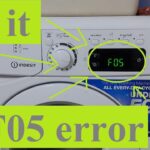
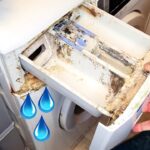
The Horror begins… The indesit washing machine f05 error code shows it’s ugly head!
If you own an Indesit washing machine and are experiencing the F05 error code, you are not alone. This error code indicates a problem with the pump or waste pipe, or a malfunction in the drain system.
The good news is that this issue can be resolved with some troubleshooting steps.
Understanding the Indesit Washing Machine F05 Error Code is the first step towards resolving the issue. It is important to know that the error code F05 indicates a jammed pressure switch.
The pressure switch lets the machine know that there is no more water inside, and if it is stuck on, the error code will appear.
Troubleshooting the issue involves checking the drain pump, waste pipe, and water level sensor to identify the root cause of the problem.
Key Takeaways
- The Indesit washing machine F05 error code indicates a problem with the pump or waste pipe, or a malfunction in the drain system.
- Troubleshooting the issue involves checking the drain pump, waste pipe, and water level sensor to identify the root cause of the problem.
- Preventing the Indesit washing machine F05 error code involves regular maintenance and cleaning of the machine, and avoiding overloading it with laundry.
Understanding The Indesit Washing Machine F05 Error Code
If you own an Indesit washing machine, then you may have encountered the F05 error code. This error code indicates a malfunction in the drain system, and it can be frustrating to deal with.
In this section, we will provide you with some information about the Indesit washing machine F05 error code, including what it is and what causes it.
What Is The Indesit Washing Machine F05 Error Code?
The Indesit washing machine F05 error code is a signal that there is a problem with the drainage system. Specifically, it indicates that the pressure switch is jammed, which prevents the machine from draining water properly.
The pressure switch is responsible for detecting when the machine is full of water, and it signals the machine to start draining.
When it is jammed, the machine cannot drain properly, and the F05 error code appears.
Common Causes Of The Indesit Washing Machine F05 Error Code
There are several common causes of the Indesit washing machine F05 error code. These include:
- Blockages in the drain hose or drain pipe
- Malfunctioning drain pump
- Faulty pressure switch or water level sensor
- Obstruction in the impeller or drain filter
- Issues with the electronic circuit board or software
To fix the F05 error code, you will need to diagnose the root cause of the problem. This may involve disassembling the machine and checking various parts, such as the drain pump, pressure switch, and drain filter.
You may also need to clean the drain hose and drain pipe to remove any blockages.
In some cases, you may need to replace faulty parts, such as the pressure switch or water level sensor.
If you are not comfortable with repairing the machine yourself, you may want to consider hiring a professional repair service to help you.
Troubleshooting The Indesit Washing Machine F05 Error Code

If you own an Indesit washing machine and you have encountered the F05 error code, don’t worry. This error code is common and usually has a simple solution.
How To Fix The Indesit Washing Machine F05 Error Code
The F05 error code on your Indesit washing machine indicates that there is a problem with the pressure switch.
This switch is responsible for detecting the water level in the washing machine and controlling the spin cycle. Here are some steps you can take to fix the F05 error code:
- Check the waste pipe: The first thing you should do is check the waste pipe for any blockages. Set a bucket on the floor and take off the rubber waste pipe which is attached to the machine from the plastic wall pipe. If there is a blockage, clear it and try running the washing machine again.
- Check the pressure switch: If the waste pipe is not blocked, the next thing to check is the pressure switch. This switch is located at the bottom of the washing machine and can be accessed by removing the back panel. Check the switch for any damage or blockages and replace it if necessary.
- Check the air pressure chamber: If the pressure switch is not the problem, check the air pressure chamber for any blockages. This chamber is located at the top of the washing machine and can be accessed by removing the top panel. Check for any blockages and clear them if necessary.
- Check the drain filter: If the above steps do not solve the problem, check the drain filter for any blockages. This filter is located at the bottom of the washing machine and can be accessed by removing the front panel. Clean the filter and try running the washing machine again.
When To Call A Professional
If you have tried all the above steps and the F05 error code still persists, it may be time to call a professional. A qualified technician will be able to diagnose and fix the problem quickly and efficiently.
Do not attempt to repair the washing machine yourself if you are not confident in your abilities, as this could result in further damage or injury.
Preventing The Indesit Washing Machine F05 Error Code
If you own an Indesit washing machine, you may have encountered the F05 error code. This error code indicates a problem with the machine’s drainage system.
However, with a few simple maintenance tips and dos and don’ts, you can prevent the F05 error code from occurring.
Routine Maintenance Tips
Regular maintenance is key to preventing the F05 error code. Here are some routine maintenance tips you can follow:
- Clean the filter regularly: The filter is located at the bottom of the machine and can become clogged with lint, hair, and other debris. Clean the filter at least once a month to prevent blockages.
- Check the drain hose: Make sure the drain hose is not kinked, twisted, or blocked. A blocked drain hose can prevent the machine from draining properly, leading to the F05 error code.
- Use the right detergent: Using too much detergent can cause excess suds, which can lead to drainage problems. Use the recommended amount of detergent for your machine.
Dos And Don’ts
In addition to routine maintenance, there are some dos and don’ts you should follow to prevent the F05 error code:
- Do use the machine regularly: A machine that is not used regularly can become clogged with lint and debris, leading to drainage problems.
- Do use a washing machine cleaner: Using a washing machine cleaner once a month can help prevent blockages and keep your machine running smoothly.
- Don’t overload the machine: Overloading the machine can cause drainage problems and lead to the F05 error code.
- Don’t wash items that are too bulky or heavy: Washing items that are too bulky or heavy can cause drainage problems and lead to the F05 error code.
By following these routine maintenance tips and dos and don’ts, you can prevent the Indesit washing machine F05 error code from occurring and keep your machine running smoothly.
Frequently Asked Questions
How To Fix Indesit Washing Machine F05 Error Code?
If you are experiencing an F05 error code on your Indesit washing machine, it is likely due to a problem with the pump.
The best course of action is to contact a professional engineer or Indesit for assistance.
How To Reset Indesit Washing Machine F05 Error Code?
To reset the F05 error code on your Indesit washing machine, you can try unplugging the machine and waiting for a few minutes before plugging it back in.
If this does not work, it is best to contact a professional engineer or Indesit for assistance.
What Does Indesit Washing Machine F05 Error Code Mean?
The F05 error code on an Indesit washing machine indicates a problem with the pump. This could be due to a blockage or a malfunction in the pump itself.
How To Unblock The Pump Filter On An Indesit Washing Machine?
To unblock the pump filter on your Indesit washing machine, you can follow these steps:
- Turn off the machine and unplug it.
- Locate the filter, which is usually located at the bottom of the machine.
- Place a towel or bucket underneath the filter to catch any water that may spill out.
- Unscrew the filter and remove any debris or blockages.
- Screw the filter back in place and turn the machine back on.
What Is The Difference Between Indesit Washing Machine F05 And F01 Error Code?
The F05 error code on an Indesit washing machine indicates a problem with the pump, while the F01 error code indicates a problem with the motor.
How To fix Hotpoint F05 error code?
To fix the F05 error code on your Hotpoint washing machine, you can try the following:
- Check for any blockages in the pump filter.
- Make sure the drain hose is not kinked or blocked.
- Check the wiring connections to the pump and motor.
- If none of these solutions work, it is best to contact a professional engineer or Hotpoint for assistance.

Founder of homeappliancegeek.com, avid cook, and lover of Asian food.
Signature dishes include Thai Red Curry, Chicken Saag, Bibimbap and Sushi.
Massive clean freak; a habit baked-in after spending 9 years in the catering industry.
The one appliance he couldn’t live without? Easily the dishwasher (total relationship saver!).