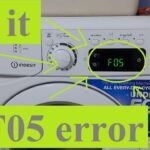
The nightmare begins! You see the Hotpoint washing machine F05 error code
If you own a Hotpoint washing machine, you may have encountered the F05 error code at some point.
This code indicates that there is a problem with the pump or waste pipe, which can cause the machine to not drain properly.
As a result, the door may not open, leaving your clothes trapped inside.
There are several potential causes of the F05 error code, including a faulty pump, a blocked filter, or a blocked waste pipe.
If you are handy with tools, you may be able to diagnose and fix the problem yourself.
However, if you are unsure or uncomfortable with DIY repairs, it is best to call a professional to avoid causing further damage to your machine.
Fortunately, with the right knowledge and tools, fixing the F05 error code on your Hotpoint washing machine is usually a straightforward process.
In this article, we will provide you with the information you need to diagnose and repair the problem, so you can get your machine back up and running as quickly as possible.
Understanding The Hotpoint F05 Error Code
If you own a Hotpoint washing machine, you may have come across the F05 error code. This code indicates a problem with the pump or waste pipe.
Understanding what causes this error code and the symptoms associated with it can help you troubleshoot the issue and get your washing machine back up and running.
Causes
The F05 error code on your Hotpoint washing machine can be caused by several factors. These include:
- A blocked or kinked waste pipe
- A faulty pump
- A clogged filter
- A damaged pressure switch
Symptoms
When your Hotpoint washing machine displays the F05 error code, you may notice a few symptoms. These include:
- The machine failing to drain
- The door not releasing once the cycle has finished
- Water remaining in the drum after the cycle has finished
If you experience any of these symptoms, it is likely that your washing machine is displaying the F05 error code.
To fix this error code, you can try a few troubleshooting steps. These include checking the waste pipe for blockages or kinks, cleaning the filter, and ensuring that the pump is functioning correctly.
If these steps do not resolve the issue, you may need to call a professional to repair or replace the faulty parts.
Troubleshooting The Hotpoint Washing Machine F05 Error Code
If you are experiencing the F05 error code on your Hotpoint washing machine, there are a few things you can do to troubleshoot the issue before calling a professional.
The F05 error code typically indicates a problem with the pump or pressure switch, but it can also be caused by a blockage in the waste pipe or pressure chamber bottle.
Checking For Blockages

The first step in troubleshooting the F05 error code is to check for any blockages in the waste pipe or pressure chamber bottle.
Start by disconnecting the waste pipe from the back of the machine and checking for any kinks or obstructions. If the waste pipe is clear, you can move on to inspecting the pressure chamber bottle.
To examine the pressure chamber bottle, you will need to remove the plastic cover at the bottom of the machine. Once the cover is off, you should see a thin tube leading to the pressure chamber bottle.
Check the tube and bottle for any blockages or foreign objects, such as a sock or button.
Inspecting The Pump
If there are no blockages in the waste pipe or pressure chamber bottle, the next step is to inspect the pump.
The pump is responsible for draining the water from the machine, and if it is not working properly, it can trigger the F05 error code.
To inspect the pump, you will need to remove the back panel of the machine. Once the panel is off, you should be able to see the pump at the bottom of the machine.
Check the pump for any signs of damage or wear, and make sure that the impeller is free to move.
Examining The Pressure Switch
If the pump is in good working order, the final step is to examine the pressure switch.
The pressure switch is responsible for detecting the water level in the machine, and if it is not working properly, it can trigger the F05 error code.
To examine the pressure switch, you will need to remove the top panel of the machine. Once the panel is off, you should be able to see the pressure switch at the top of the machine.
Check the switch for any signs of damage or wear, and make sure that the tube leading to the switch is clear.
By following these troubleshooting steps, you should be able to identify the cause of the F05 error code on your Hotpoint washing machine.
If you are unable to resolve the issue on your own, it is recommended that you contact a professional for assistance.
Repairing The F05 Error Code
If your Hotpoint washing machine is displaying the F05 error code, it means there is a problem with the pressure switch.
This could be due to a faulty pump, a motor circuit issue, or an internal data error. Fortunately, there are steps you can take to repair the error code.
Professional Repair
If you’re not comfortable repairing your washing machine yourself, it’s best to leave it to a professional. Contact Hotpoint or a local washing machine engineer to schedule a repair appointment.
They’ll be able to diagnose the issue and fix it for you.
DIY Repair
If you’re comfortable repairing your washing machine yourself, there are a few things you can try. Before attempting any repairs, make sure you unplug the machine from the power source.
Step 1: Check the Drain Pump
The first thing to check is the drain pump. If it’s faulty, it could be causing the F05 error code. Here’s how to check:
- Locate the drain pump at the bottom of the machine.
- Remove any obstructions, such as lint or debris.
- Check the pump impeller for damage.
- Check the pump motor winding with a multimeter.
If the pump is faulty, it will need to be replaced.
Step 2: Check the Pressure Switch
If the drain pump is not the issue, the pressure switch may be faulty. Here’s how to check:
- Locate the pressure switch at the top of the machine.
- Check the wiring connections.
- Check the switch for continuity with a multimeter.
- Replace the switch if it’s faulty.
Step 3: Check the Motor Circuit
If the pressure switch is not the issue, the motor circuit may be faulty. Here’s how to check:
- Locate the motor at the bottom of the machine.
- Check the wiring connections.
- Check the motor winding with a multimeter.
- Replace the motor if it’s faulty.
Step 4: Check the Electronic Control
If none of the above steps have fixed the issue, the electronic control may be faulty. Here’s how to check:
- Locate the electronic control board at the top of the machine.
- Check the wiring connections.
- Check the dryer temperature sensor and heater control with a multimeter.
- Check the drum lock position sensor for continuity.
- Replace the electronic control board if it’s faulty.
Preventing The Hotpoint F05 Error Code

If you own a Hotpoint washing machine, you may have encountered the F05 error code.
This error code indicates a problem with the pressure switch, which can cause the machine to stop spinning. Luckily, there are steps you can take to prevent this error code from occurring.
Regular Maintenance
One of the best ways to prevent the F05 error code is to perform regular maintenance on your washing machine. Here are some tips to help you keep your machine in top condition:
- Clean the filter regularly: The filter is located at the bottom of the machine and can become clogged with lint and other debris. Clean it out at least once a month to prevent blockages.
- Check the hoses: Make sure the hoses are not kinked or damaged. If they are, replace them immediately to prevent leaks.
- Use the right detergent: Hotpoint recommends using their own brand of detergent for best results. Using other detergents can cause problems with the machine.
Warranty Coverage
If you have a Hotpoint washing machine, it may be covered by a warranty. If you encounter the F05 error code, check your warranty to see if it covers repairs, if so contact Hotpoint to schedule a repair.
Your warranty could have expired however, you can still contact Hotpoint for assistance.
They may be able to offer advice on how to fix the problem yourself or recommend a repair service.
By following these tips, you can help prevent the F05 error code from occurring and keep your Hotpoint washing machine running smoothly.
Regular maintenance is key to keeping any appliance in good working order, so make sure to schedule time for it on a regular basis.
Final Thoughts
Dealing with a washing machine error code can be a frustrating experience, but with the right knowledge and tools, you can quickly resolve the issue.
Hotpoint washing machine F05 error code indicates a problem with the pump or waste pipe. The good news is that this is one of the most common error codes and can be fixed without calling an engineer.
If you encounter an F05 error code, the first thing to do is to check the pump and filter for blockages. If there is a blockage, remove it and run a cycle to see if the problem is resolved.
This should resolve the issue, if not check the waste pipe for any blockages or kinks.
Regular maintenance of your washing machine can help prevent the F05 error code from occurring. Make sure to clean the filter and pump regularly and avoid overloading the machine.
If you notice any unusual noises or leaks, address them promptly to prevent further damage.

Founder of homeappliancegeek.com, avid cook, and lover of Asian food.
Signature dishes include Thai Red Curry, Chicken Saag, Bibimbap and Sushi.
Massive clean freak; a habit baked-in after spending 9 years in the catering industry.
The one appliance he couldn’t live without? Easily the dishwasher (total relationship saver!).